
使用 Proton Pass 管理 SSH 密钥
app 效率 命令行 macOS
背景
AI 时代开发者电脑上运行越来越多的 Agent, 开发者在享受便利的同时, 也会伴随着各种各样的安全隐患, 其中 SSH 私钥泄露问题往往会产生灾难性后果, 下面是一些典型的案例.
- Inside a malicious Claude Code-branded extension and its persistent SSH backdoor
- CurseChain: How Hidden README Comments Trick Cursor Into Stealing - and Spreading - Your SSH Keys
- MCP Security Notification: Tool Poisoning Attacks
- Prompt In, Shell Out: Exploiting GitHub AI Toolchains
目标
- SSH 私钥不明文存盘
- 多设备自动同步
- 原生集成主流工具
- 集中管控
前置知识
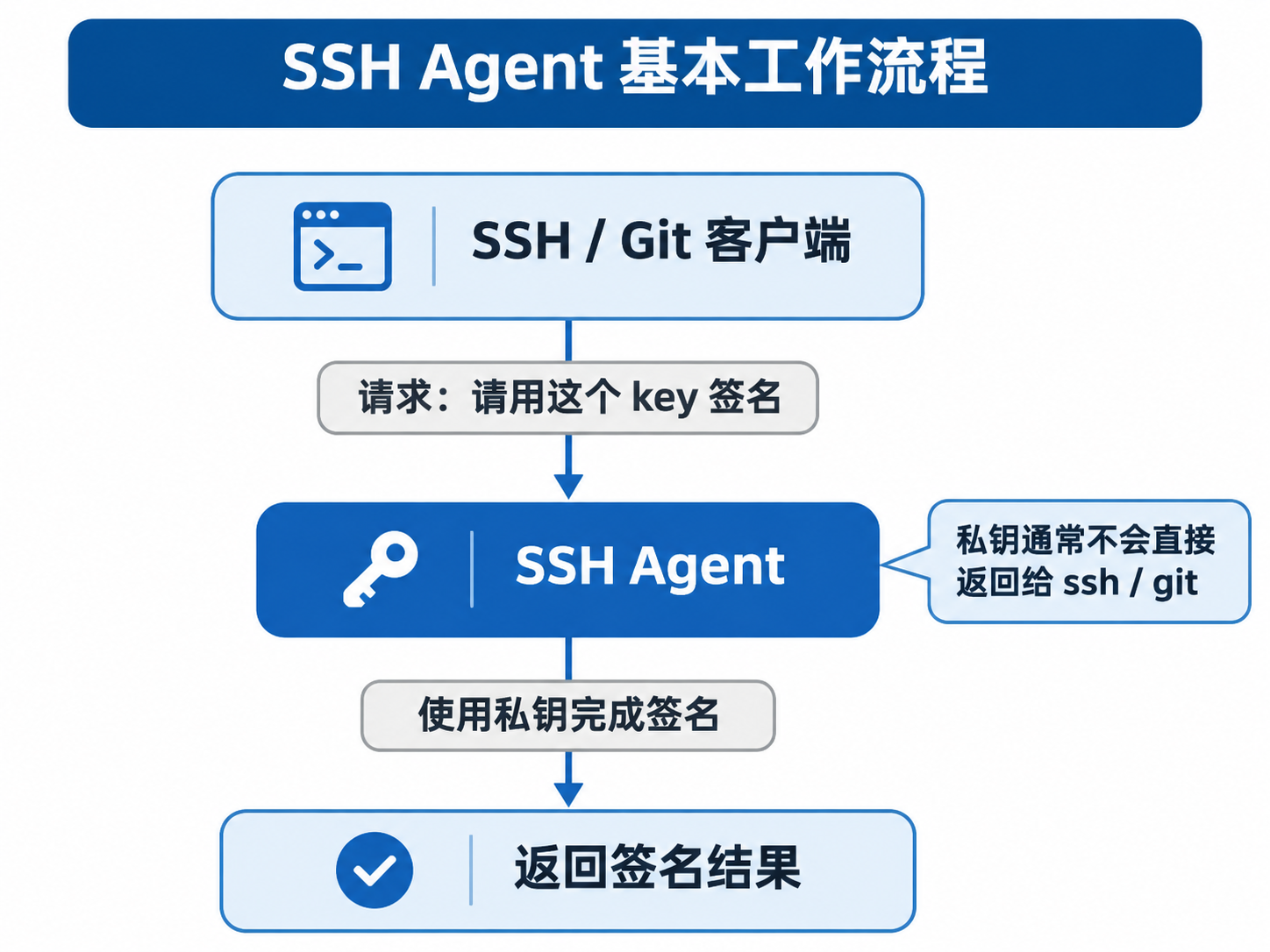
SSH Agent 可以理解为一个帮你保管 SSH 私钥, 并代替你完成签名操作的后台程序. 它的主要目的, 是让你不必每次 SSH 登录或 Git 操作时都重新输入私钥密码, 也不必把私钥直接交给每个应用.
直接使用 SSH Agent 时的典型工作流:
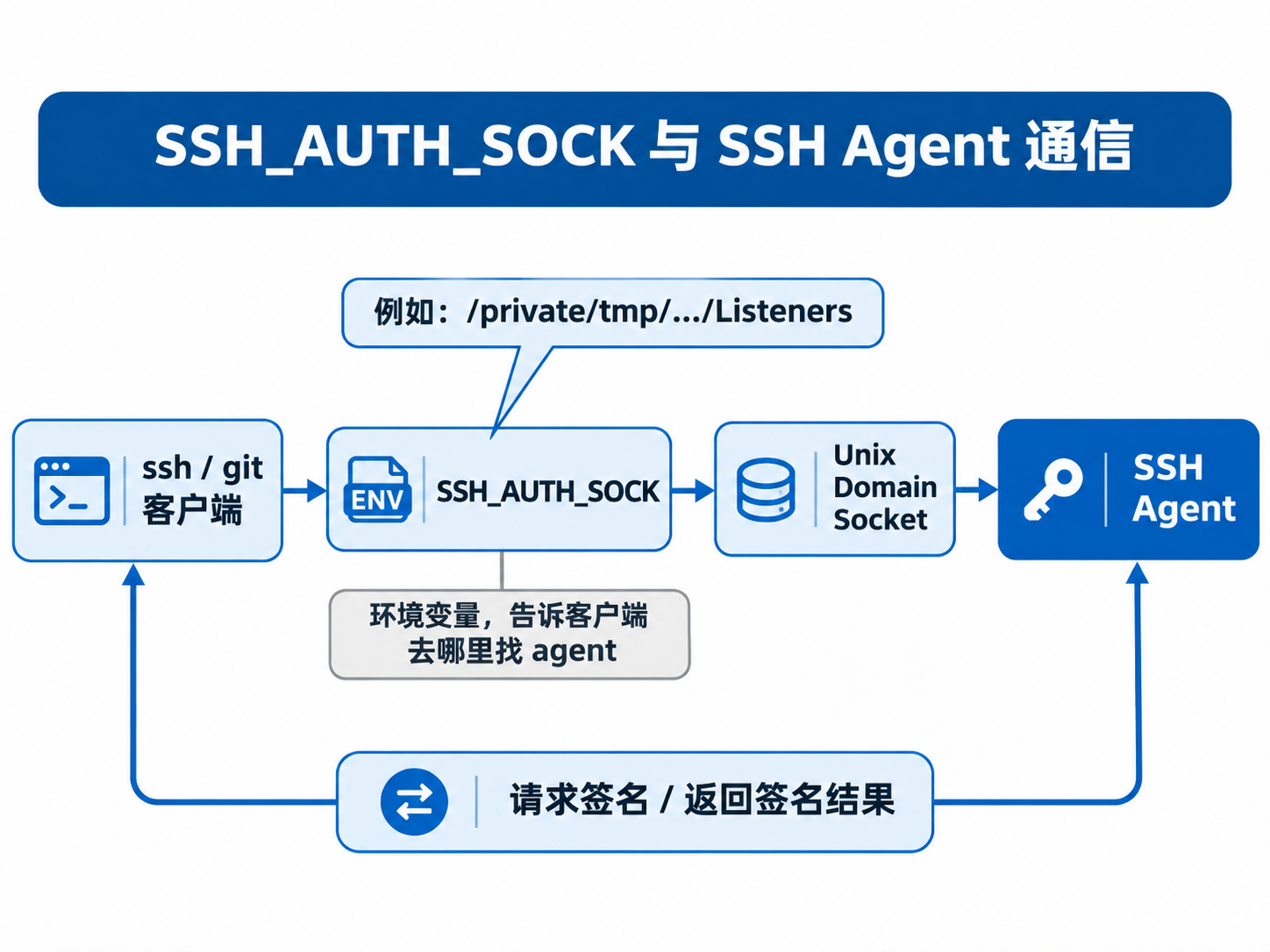
使用 SSH_AUTH_SOCK 来通信 (密码管理器托管的基础):
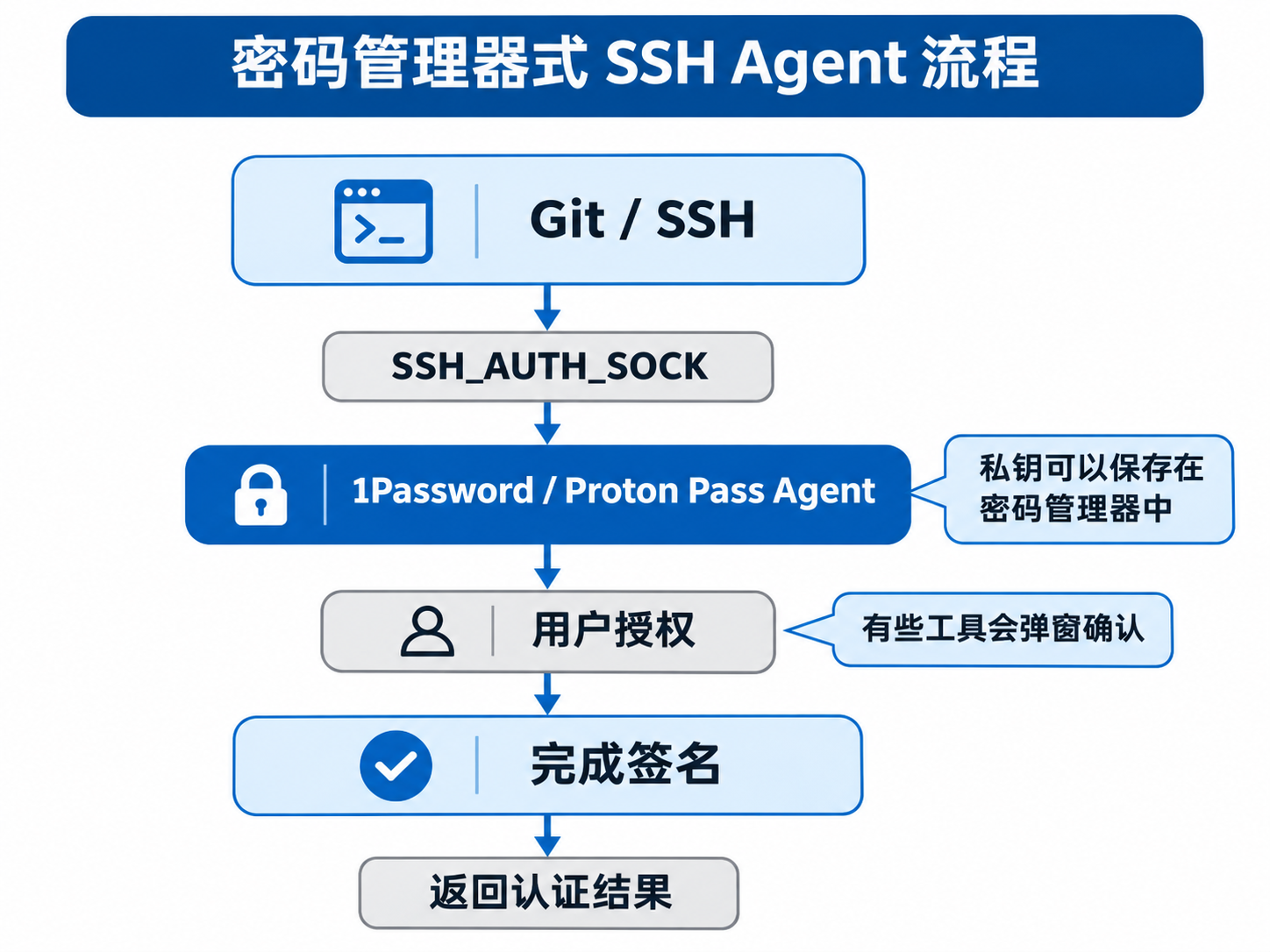
使用密码管理器托管后的流程:
如果想了解更多细节, 可以参考下述文章:
实践
选型
作者本人由于购买过 ProtonPass 的终身会员, 因此选型为此款密码管理器. 下面给出一些支持此能力的密码管理器, 其工作原理均类似, 大家按自己的喜好选择即可:
安装
去 ProtonPass 官网下载其桌面版 (SSH Agent 需要), 然后登录自己的账户.
配置 Proton Pass
配置过程也可以参考官方文档: Set up your Proton Pass SSH agent
添加 SSH 密钥
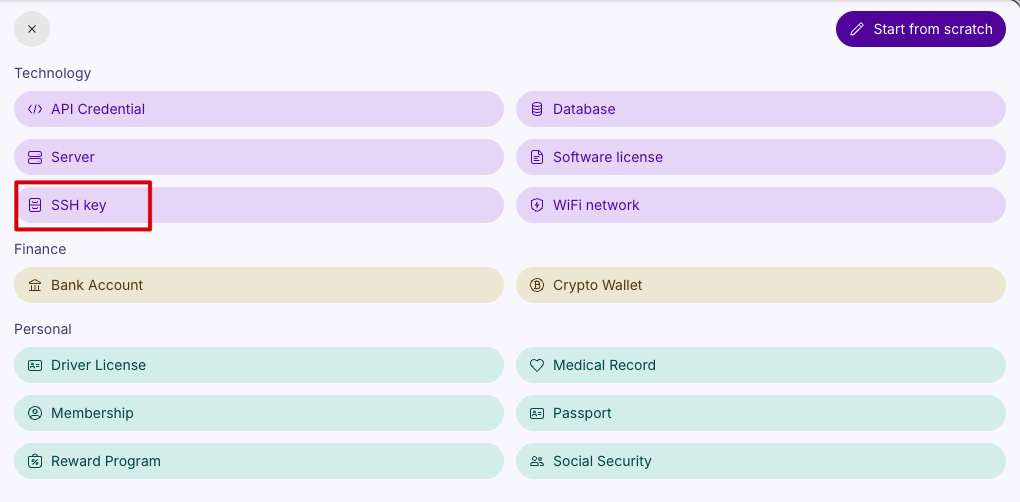
点击桌面客户端右上角的 Create Item 按钮, 选择下拉列表中的 Other 选项
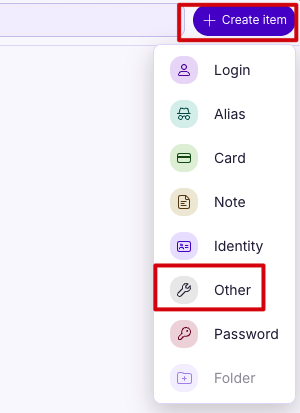
选择 SSH key
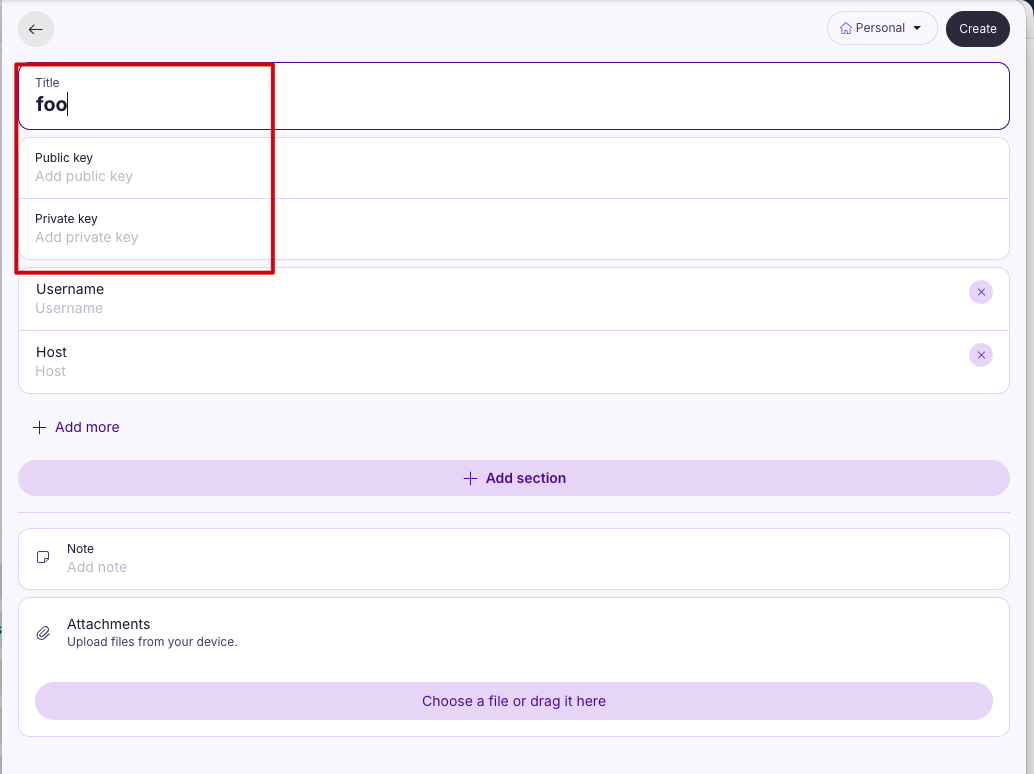
填写 SSH 信息, 这里只需要填写 Title, Public key, Private key 三个字段, 高级功能我更推荐使用 ~/.ssh/config 来进行配置.
开启 SSH Agent 支持
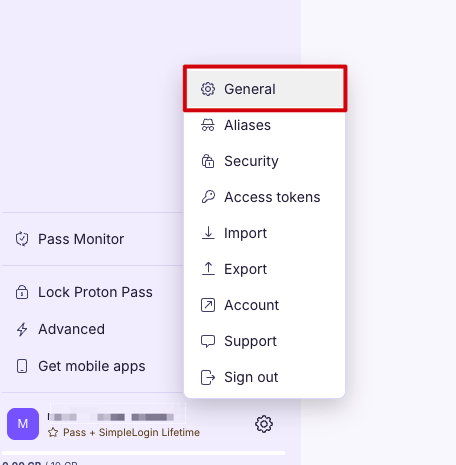
点击桌面客户端左下角的 ⚙ 图标, 选择菜单中的 General 选项
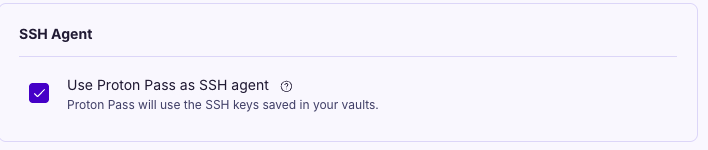
勾选 SSH Agent 下面的 Use Proton Pass as SSH agent
复制下面的配置信息, 并添加到你的 ~/.bashrc 或者 ~/.zshrc 配置文件中
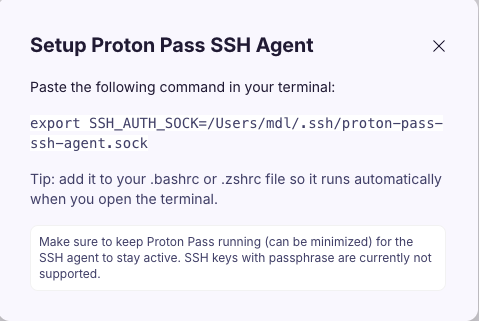
配置 SSH
创建 ~/.sss/config 文件:
mkdir ~/.ssh
chmod 700 ~/.ssh

touch ~/.ssh/config
~/.ssh/config 文件示例配置如下:
# ControlPath
# %r - The remote username.
# %h - The remote hostname.
# %p - The remote port.
# %n - The original remote hostname, as given on the command line.

Host github.com
    HostName github.com
    User git
    ServerAliveInterval 30
    ControlMaster auto
    ControlPath /tmp/ssh-%n-%r@%h:%p
    ControlPersist yes
    IdentityFile ~/.ssh/my_keys/personal.id_ed25519.nslib.github.pub


Host mdl13412-github.com
    HostName github.com
    User git
    ServerAliveInterval 30
    ControlMaster auto
    ControlPath /tmp/ssh-%n-%r@%h:%p
    ControlPersist yes
    IdentityFile ~/.ssh/my_keys/personal.id_ed25519.mdl13412.github.pub
重要字段说明
- IdentityFile: 这个字段需要配置为
SSH公钥路径, 让SSH Agent可以返回对应的私钥 (非常重要) - HostName: 服务器实际的域名
NOTE: 如果看不懂上述配置, 可以贴给 AI 让他帮忙解释.
验证多账号身份

克隆仓库
主账号无需做任何修改, 可以直接输入:
git clone [email protected]:vim/vim.git对于其他的账号, 以上文为例, 我配置了 Host mdl13412-github.com, 因此需要把命令修改为:
git clone [email protected]:vim/vim.gitNOTE: 只有克隆的时候需要修改, 克隆后仓库的 remote url 是修改过的值, 后续 git 命令无需任何特殊配置.
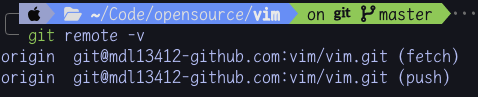
常用指令
查看当前已加载的 SSH 私钥
ssh-add -l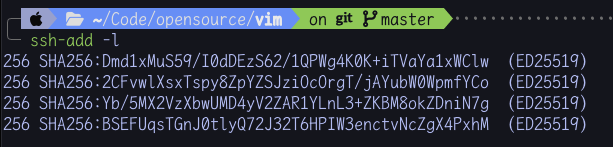
清空 ssh-agent 加载的私钥
ssh-add -D注意事项
Proton Pass在解锁时才会提供验证信息, 未解锁会弹窗~/.ssh/config中的IdentityFile需要配置成公钥, 这样可以让ssh-agent知道返回哪个私钥- 报 “invalid format” 错误, 这个是因为
Proton Pass没启动,SSH Agent不生效

总结
通过配置密码管理器的 SSH Agent 能力, 达成 SSH 私钥不明文存盘、多设备自动同步、原生集成主流工具、集中管控, 从而更好地保障数据安全.
参考资料
- Inside a malicious Claude Code-branded extension and its persistent SSH backdoor
- CurseChain: How Hidden README Comments Trick Cursor Into Stealing - and Spreading - Your SSH Keys
- MCP Security Notification: Tool Poisoning Attacks
- Prompt In, Shell Out: Exploiting GitHub AI Toolchains
- SSH Agent Explained
- SSH Agent Forwarding
- Generating a new SSH key and adding it to the ssh-agent
- Set up your Proton Pass SSH agent